
Searchable product or vehicle catalogue
Where you work
Help customers discover, compare, and enquire.
Shape catalogue, marketplace, inventory, and quotation journeys around what you sell and how your customers make decisions.
Start with the problem
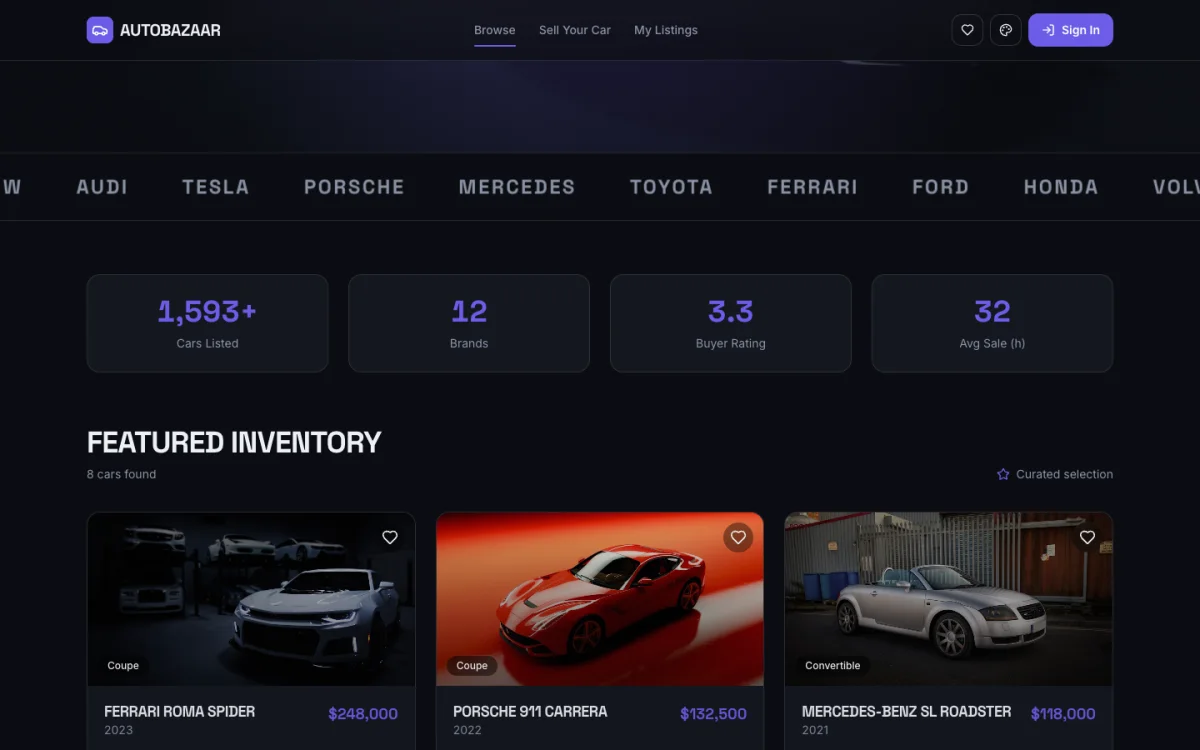
Build a bilingual vehicle marketplace with filters, comparison, listing pages, seller profiles, quote requests, and an inventory dashboard.
What you can build
Help people choose with confidence.
Detailed listing and comparison pages
Quote, enquiry, or reservation journey
Seller and inventory management view
Three connected steps
From need to live URL.
01
Describe the real workflow
Explain who uses it, what they need to do, and what a successful result looks like.
02
See it, then shape it
Preview the working experience, refine it through chat, and edit the details visually.
03
Connect and publish
Add a supported backend or GitHub when needed, then publish on a TatbiQ address or your own domain.
Try this prompt
“Build a bilingual vehicle marketplace with filters, comparison, listing pages, seller profiles, quote requests, and an inventory dashboard.”Use it as a starting point
You stay in control
Build and refine in English or Arabic.
Use chat, visual editing, and checkpoints.
Connect supported data services and GitHub when needed.
Explore more
Related use cases.
Product prototypes
Figma and decks show how an app might look. TatbiQ is built to give you something people can tap through: screens, flows, and a live URL. If the idea holds, you keep building the same product toward launch.
Founders
TatbiQ coordinates product, architecture, engineering, and QA in one command center, so you can validate before committing to an agency or hiring team.
Website builder
Type what your business does in Arabic or English. TatbiQ turns it into a polished, mobile-ready website for customers across the UAE and Gulf, with a clear path to call, book, or buy.
Start from a real need
Describe what should work better.
Start in English or Arabic. TatbiQ turns your description into a product you can preview, refine, and publish.